CrewAI Sandbox: Isolated E2B Agent Execution
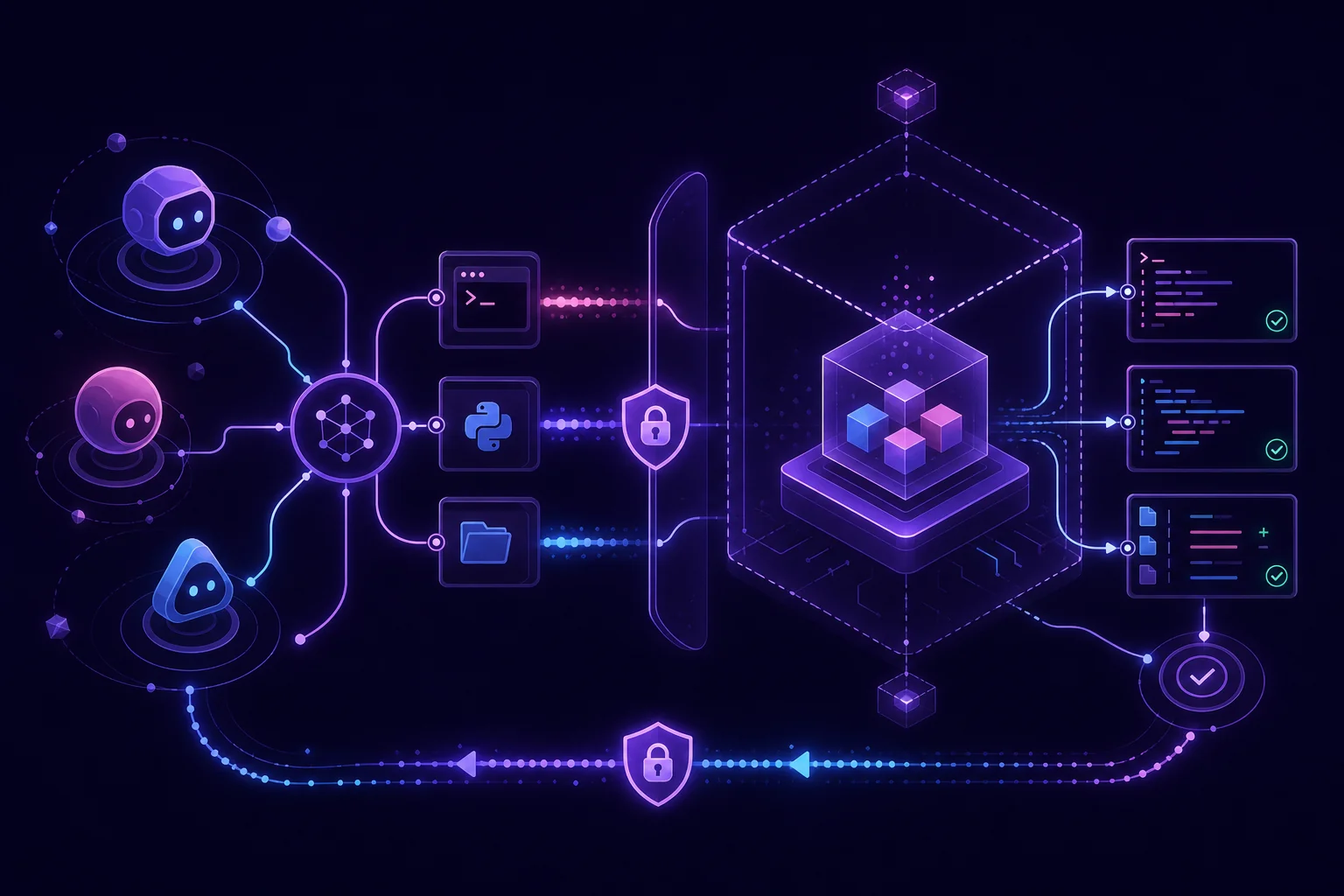
A CrewAI sandbox protects your host, but isolation alone is not enough. An agent can still execute unnecessary tools, send data over the network, or return malicious output to the next workflow step. The safe pattern is task-scoped: expose the minimum tool set, restrict egress outside CrewAI, validate every result, and destroy the environment when the task ends. This guide shows how to structure that boundary with CrewAI’s E2B tools.
1. Define the CrewAI sandbox threat model before writing code
CrewAI’s E2B tools execute agent code inside isolated, ephemeral virtual machines hosted by E2B. That separates agent execution from your application host. It does not make agent behavior trustworthy.
Start with the data and capabilities involved in one task. For example, consider a competitor-monitoring agent that downloads an approved public page, extracts product changes, and produces a JSON report.
Its task boundary might be:
| Resource | Allowed | Denied |
|---|---|---|
| Input | Target URL and extraction instructions | Host files and unrelated job data |
| Files | Task-specific working directory | Arbitrary host paths |
| Network | Approved public domains | Unknown destinations and metadata services |
| Secrets | Short-lived credential when required | Application-wide environment |
| Processes | Required runtime commands | Background services |
| Output | Validated JSON report | Executable HTML or arbitrary binaries |
| Lifetime | One task | Reuse across unrelated jobs |
Include prompt injection in this model. Content retrieved from a website may contain instructions addressed to the agent. Generated files and tool output may also contain text intended to manipulate another agent.
CrewAI’s documentation explicitly recommends treating E2B tool output as untrusted. The tools provide arbitrary shell, Python, and filesystem access inside the sandbox. Your workflow must still decide what may enter and leave it.
Write the policy before the prompt. A useful policy object can remain ordinary Python:
from dataclasses import dataclass
from typing import FrozenSet

@dataclass(frozen=True)
class TaskPolicy:
    allowed_tools: FrozenSet[str]
    allowed_domains: FrozenSet[str]
    allowed_output_types: FrozenSet[str]

monitoring_policy = TaskPolicy(
    allowed_tools=frozenset({"python"}),
    allowed_domains=frozenset({"example.com"}),
    allowed_output_types=frozenset({"application/json"}),
)
This object does not enforce network policy by itself. It gives your application one explicit contract to validate before dispatching a task.
2. Install E2B and expose only the tools each agent needs
Install the E2B extra for crewai-tools and provide the E2B API key through the environment:
Do not put the key in the repository, prompt, task description, or generated source file. For a broader production model, see IAM, secrets, and isolation for Python agents.
CrewAI provides three E2B tools with a shared base class and connection model:
E2BExecToolruns shell commands.E2BPythonToolruns Python in a Jupyter-style interpreter.E2BFileToolperforms filesystem operations.
E2BFileTool supports read, write, append, list, delete, directory creation, metadata inspection, existence checks, and base64-encoded binary content. That is useful, but it is also a broad capability.
Choose tools per agent, not per crew.
from crewai import Agent
from crewai_tools import E2BPythonTool

analysis_tool = E2BPythonTool(
    persistent=False,
    sandbox_timeout=300,
)

analyst = Agent(
    role="Data analyst",
    goal="Transform approved input into a structured report",
    backstory="You process task-local data and return validated results.",
    tools=[analysis_tool],
)
This analyst receives Python execution only. It does not get a shell merely because another agent needs one.
Apply the same rule to every role:
- A report formatter may need Python but no shell.
- A file organizer may need filesystem operations but no code execution.
- A tightly constrained build task may need shell execution but no file tool exposed directly.
- An agent that only calls an application-owned API may need none of the E2B tools.
A prompt saying “do not use the shell” is not an authorization boundary. Omitting E2BExecTool is.
3. Build the isolated E2B runtime with safe defaults
CrewAI’s E2B tools accept custom templates or snapshots, environment variables, metadata, and an existing sandbox identifier. Use those controls to create a runtime for the task rather than recreating your full application environment.
A safe runtime design has four parts:
A minimal image
Preinstall only the runtime and packages needed by the task. This reduces package installation during execution and avoids handing an agent a general-purpose build environment.
Task-scoped environment variables
Pass only values required for the current operation. Do not copy the host environment wholesale.
import os

def task_environment() -> dict[str, str]:
    allowed_names = {"PUBLIC_API_TOKEN"}

    return {
        name: os.environ[name]
        for name in allowed_names
        if name in os.environ
    }
Keep model credentials in the orchestrator when the sandbox does not need them. If Python inside E2B only transforms an input file, it should not receive your LLM key.
Traceable metadata
Associate the sandbox with your application’s job identifier, task type, and environment. Avoid customer content or secrets in metadata. The identifiers let you correlate lifecycle events without logging sensitive payloads.
Bounded execution
sandbox_timeout is an inactivity timeout expressed in seconds and defaults to 300. Pair it with command-level timeouts where you use E2BExecTool.
Also define CPU, memory, storage, process, and wall-clock limits through the controls supported by your selected E2B configuration and surrounding infrastructure. The CrewAI documentation cited here does not specify those resource limits, so verify them against the E2B configuration you deploy.
4. Control outbound network traffic instead of trusting the sandbox boundary
A sandbox stops code from running directly on your host. It does not automatically prove that outbound traffic matches your policy.
Use default-deny egress: reject outbound connections unless the task explicitly needs them. Then route approved requests through a controlled path.
A practical architecture is:
CrewAI orchestrator
        |
        | task input + scoped credentials
        v
E2B sandbox
        |
        | outbound requests
        v
Restricted proxy / egress gateway
        |
        +--> approved API or domain
        +--> request audit log
        `--> everything else denied
The proxy or gateway should enforce the application policy rather than trusting the URL selected by the agent. Validate resolved destinations as well as requested hostnames. Block access to cloud metadata endpoints. Control DNS resolution, and log destination, method, task identifier, response status, and transferred size without recording secrets.
Keep package installation separate from task execution. Build dependencies into an approved template or snapshot. Otherwise, allowing access to package registries can become a general outbound channel.
Credentials should also follow the network boundary:
- Inject a credential only if the sandbox must call the approved service.
- Scope it to the required operation.
- Avoid placing it in prompts or command-line arguments.
- Remove it from any output returned to the orchestrator.
- Rotate it outside the agent workflow.
The CrewAI E2B documentation does not provide a complete egress-filtering recipe. Do not assume that constructing E2BPythonTool creates one. Enforce network restrictions through your E2B template, a restricted proxy, surrounding infrastructure, or application-owned request tools.
If you cannot enforce egress for arbitrary Python or shell code, remove network access from that sandbox. Fetch approved input in the orchestrator, then pass the sanitized data into E2B for offline processing.
5. Run CrewAI tasks and validate every output before it leaves the sandbox
E2BExecTool results can include exit_code, stdout, stderr, and error. Check all of them. A non-empty standard output stream is not proof of success.
def validate_exec_result(result: dict) -> str:
    if result.get("error"):
        raise RuntimeError(f"Sandbox error: {result['error']}")

    if result.get("exit_code") != 0:
        stderr = str(result.get("stderr", ""))
        raise RuntimeError(f"Command failed: {stderr[:1000]}")

    stdout = str(result.get("stdout", ""))
    if len(stdout.encode("utf-8")) > 1_000_000:
        raise ValueError("Sandbox output exceeds the application limit")

    return stdout
The limits in this example are application policy, not E2B defaults. Choose them for your workload.
Python output needs equivalent validation. E2BPythonTool can return standard output, standard error, and rich results including charts, dataframes, HTML, SVG, and PNG. Do not send rich output directly to a browser or another agent.
Validate at the boundary:
- Parse structured text against a schema.
- Restrict accepted MIME types.
- Set application-level size limits.
- Reject unexpected file paths and extensions.
- Scan output for known secret formats.
- Store files under generated task identifiers.
- Require human approval before external side effects.
For JSON reports, deserialize and reconstruct the accepted object instead of forwarding raw text:
import json

def parse_report(raw: str) -> dict:
    data = json.loads(raw)

    if set(data) != {"summary", "sources"}:
        raise ValueError("Unexpected report fields")
    if not isinstance(data["summary"], str):
        raise TypeError("summary must be text")
    if not isinstance(data["sources"], list):
        raise TypeError("sources must be a list")

    return {
        "summary": data["summary"],
        "sources": [str(item) for item in data["sources"]],
    }
Log the task identifier, selected tools, sandbox identifier, elapsed state, exit code, validation decision, and cleanup result. Do not log raw secrets. The Python agent observability guide covers the surrounding logging and tracing pattern.
6. Guarantee destruction after every task and operate the deployment safely
With persistent=False, the default mode, CrewAI creates a new sandbox and destroys it for each tool _run call. This is the safest starting point when calls do not need shared state.
The lifecycle options matter:
persistent=Falsecreates and destroys the sandbox per tool call.persistent=Truecreates it on first use, retains state across calls, and destroys it at process exit throughatexit.sandbox_idattaches to an existing sandbox, which the tool does not destroy.
Per-call cleanup is not the same as task-level cleanup. A CrewAI task may invoke several tools. A process can also time out, receive a cancellation, or terminate abruptly.
Wrap orchestration in a lifecycle guard:
def run_isolated_task(create_runtime, execute_task, destroy_runtime):
    runtime = create_runtime()

    try:
        return execute_task(runtime)
    finally:
        destroy_runtime(runtime)
The concrete create and destroy functions depend on the E2B lifecycle API you use. Keep them outside the agent so the model cannot skip cleanup.
Production operation also needs a reconciliation job. It should compare active sandboxes with active jobs, flag orphans, and request deletion through your sandbox provider’s lifecycle API. This covers cases where finally and atexit never run.
Before deployment, verify:
- Each agent has a task-specific tool allowlist.
- Egress is denied unless explicitly required.
- Secrets are scoped, rotated, and excluded from logs.
- Shell exit codes and errors are checked.
- Text, files, and rich Python results are validated.
- Timeouts trigger cleanup.
- Cancellation paths are tested.
- Orphaned sandboxes produce alerts.
- Audit logs correlate jobs, sandboxes, tools, and cleanup.
- Retry behavior is idempotent.
- Tests cover prompt injection, network escape attempts, oversized output, and failed cleanup.
- Incident procedures can revoke credentials and stop new tasks.
You still need a reliable host for the orchestrator around E2B. If you do not want to maintain the container and infrastructure layer yourself, review the available pattern for deploying Python agents without Docker or Terraform.
Conclusion
A secure CrewAI sandbox is more than an isolated VM. Use E2B as the execution boundary, then add least-privilege tools, external egress enforcement, strict output validation, and lifecycle reconciliation. Prefer ephemeral execution unless a task genuinely requires shared state.
The result is an agent job you can reason about: narrow inputs, explicit capabilities, validated outputs, and a sandbox that does not outlive its work. A managed agent runtime such as HollowHost can operate the surrounding schedule, secrets, logs, and deployment while E2B remains the disposable code-execution layer.