AI Agent Setup with Trigger.dev: Local to Production
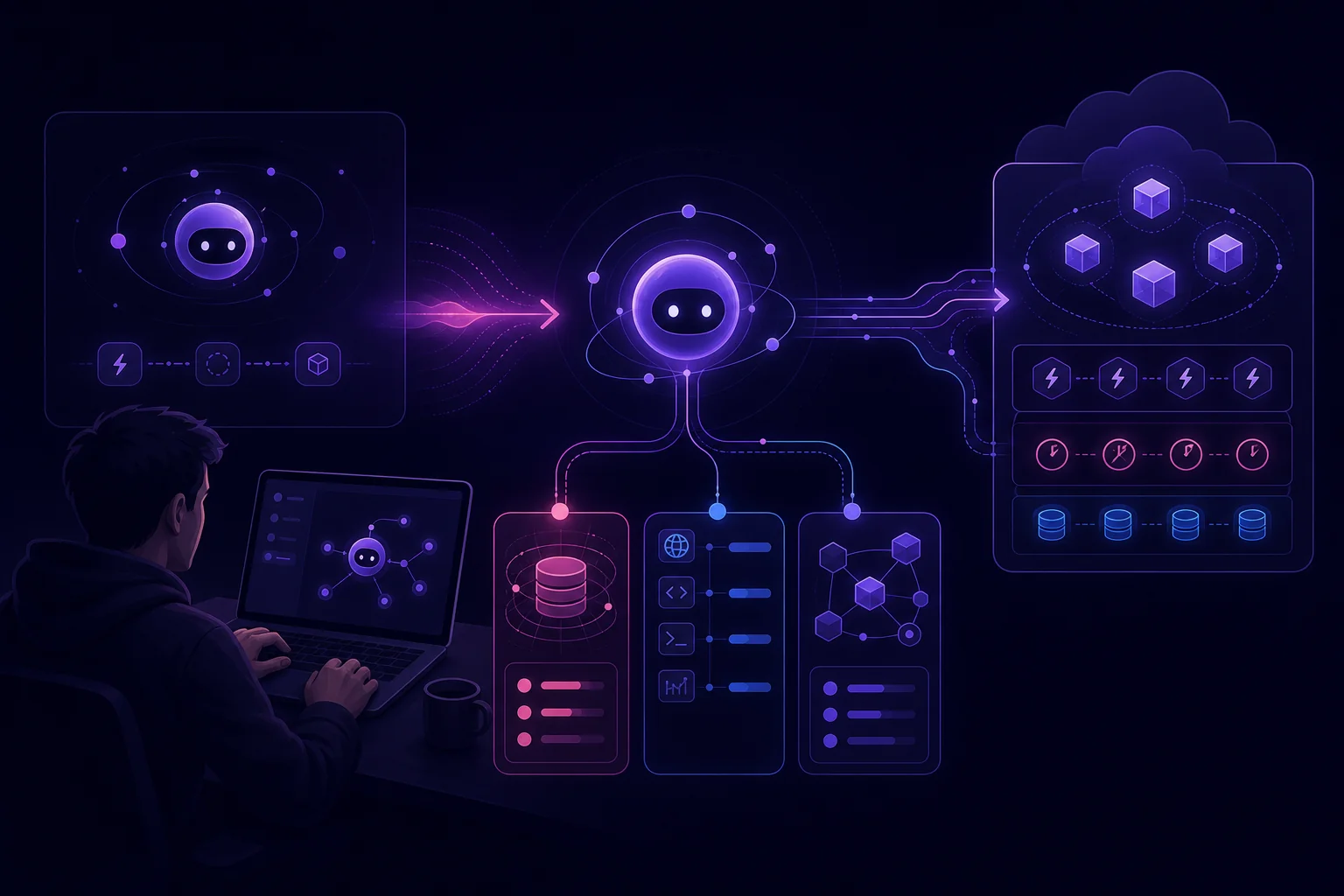
A local agent can call a model and still be far from production-ready. Credentials leak into logs. Long requests time out. Retries create duplicate records. A task works locally but is absent from the deployed task set.
This guide gives you a repeatable Trigger.dev setup path. You will define the execution contract, create a task, isolate secrets, prepare for long runs, deploy, and validate one controlled production execution. The example uses TypeScript and a generic model API.
The tested baseline for this guide is trigger.dev@4.0.4, @trigger.dev/sdk@4.0.4, and TypeScript 5.8.3. Commands, imports, and options are pinned to that baseline. If you upgrade, compare the generated project with the current quick start, configuration reference, environment-variable documentation, and platform limits.
Define the Trigger.dev agent and its execution contract
Start with the job contract, not the SDK.
An agent combines a model, persistent memory, external tools, and enough autonomy to select another approach after a failure. A fixed automation follows predefined conditions and usually stops when that path fails. An agent can choose another permitted tool or strategy instead (source).
That distinction matters in production. Every autonomous choice expands the failure surface. Your Trigger.dev task must place boundaries around it.
For a competitor-monitoring agent, define the contract like this:
export type MonitorInput = {
  runKey: string;
  sourceUrl: string;
};

export type MonitorOutput = {
  runKey: string;
  sourceUrl: string;
  summary: string;
  status: "completed" | "skipped";
};
runKey is the application-level idempotency key. Replaying the same logical job must not create another report. When invoking the task, pass this value through Trigger.dev's documented idempotencyKey trigger option. The database constraint shown later remains necessary because application writes must also be idempotent. sourceUrl must belong to an allowlist of sites you are authorized to access.
Write down these rules before implementation:
- Input: A stable run key and an authorized source URL.
- Output: A structured result, not an unbounded chat transcript.
- Tools: Only explicitly allowed HTTP endpoints and storage operations.
- Retry behavior: Retry transient failures, not invalid input.
- Idempotency: Check for an existing result and use an atomic database upsert.
- Completion: Return an artifact that another system can validate.
- Failure: Preserve progress and emit a useful error without exposing secrets.
Keep orchestration separate from reasoning. Trigger.dev owns task execution. Your agent code owns model calls, tool selection, output validation, and durable application state.
Create the local project and run the first task
You need Node.js 20 or later, a Trigger.dev account and project, PostgreSQL-compatible storage, and credentials for your model service. Pin dependencies through your lockfile.
Initialize the repository with the tested CLI version:
mkdir trigger-agent
cd trigger-agent
npm init -y
npm install @trigger.dev/sdk@4.0.4 pg@8.16.0
npm install --save-dev trigger.dev@4.0.4 typescript@5.8.3 @types/node@22.15.3 @types/pg@8.15.1
npx trigger.dev@4.0.4 init
Follow the prompts to connect the repository to the intended Trigger.dev project. Commit the generated configuration and lockfile.
Use these minimal scripts and runtime declarations:
{
  "type": "module",
  "engines": {
    "node": ">=20"
  },
  "scripts": {
    "typecheck": "tsc --noEmit",
    "trigger:dev": "trigger.dev dev",
    "trigger:deploy": "trigger.dev deploy"
  }
}
Add a TypeScript configuration:
{
  "compilerOptions": {
    "target": "ES2022",
    "module": "ESNext",
    "moduleResolution": "Bundler",
    "strict": true,
    "noEmit": true,
    "esModuleInterop": true,
    "skipLibCheck": true,
    "types": ["node"]
  },
  "include": ["src/**/*.ts", "trigger.config.ts"]
}
The Trigger.dev CLI loads and builds trigger.config.ts; a separate tsx runtime is not needed for these scripts. The dirs option identifies the task directories the CLI scans, as documented in the dirs configuration reference. Verify the initialized file instead of assuming a directory convention:
// trigger.config.ts
import { defineConfig } from "@trigger.dev/sdk";

export default defineConfig({
  project: "proj_your_project_ref",
  dirs: ["./src/trigger"],
  maxDuration: 600,
});
Keep the generated project reference rather than copying the placeholder. This guide chooses a 600-second task budget; maxDuration is a documented configuration option expressed in seconds, not a timeout for each network request (configuration reference). Confirm that your selected value is compatible with the current service limits.
Create the storage table through your migration system:
-- migrations/001-agent-runs.sql
CREATE TABLE agent_runs (
  run_key TEXT PRIMARY KEY,
  source_url TEXT NOT NULL,
  stage TEXT NOT NULL CHECK (
    stage IN (
      'accepted',
      'source_loaded',
      'model_completed',
      'completed'
    )
  ),
  checkpoint JSONB NOT NULL DEFAULT '{}'::jsonb,
  result JSONB,
  last_error TEXT,
  updated_at TIMESTAMPTZ NOT NULL DEFAULT NOW()
);
Then implement durable checkpoints and an atomic result upsert:
// src/storage.ts
import { Pool } from "pg";

export type RunStage =
  | "accepted"
  | "source_loaded"
  | "model_completed"
  | "completed";

export type StoredResult = {
  runKey: string;
  sourceUrl: string;
  summary: string;
  status: "completed";
};

export type RunCheckpoint = {
  content?: string;
  summary?: string;
};

export type RunState = {
  runKey: string;
  sourceUrl: string;
  stage: RunStage;
  checkpoint: RunCheckpoint;
  result: StoredResult | null;
};

let pool: Pool | undefined;

function database(): Pool {
  const connectionString = process.env.DATABASE_URL;

  if (!connectionString) {
    throw new Error("Missing DATABASE_URL");
  }

  pool ??= new Pool({
    connectionString,
    max: 5,
  });

  return pool;
}

function mapRow(row: {
  run_key: string;
  source_url: string;
  stage: RunStage;
  checkpoint: RunCheckpoint;
  result: StoredResult | null;
}): RunState {
  return {
    runKey: row.run_key,
    sourceUrl: row.source_url,
    stage: row.stage,
    checkpoint: row.checkpoint ?? {},
    result: row.result,
  };
}

export async function loadRunState(
  runKey: string
): Promise<RunState | null> {
  const query = await database().query(
    `
      SELECT run_key, source_url, stage, checkpoint, result
      FROM agent_runs
      WHERE run_key = $1
    `,
    [runKey]
  );

  return query.rowCount === 0 ? null : mapRow(query.rows[0]);
}

export async function findResult(
  runKey: string
): Promise<StoredResult | null> {
  const query = await database().query(
    `
      SELECT result
      FROM agent_runs
      WHERE run_key = $1
        AND result IS NOT NULL
    `,
    [runKey]
  );

  return query.rowCount === 0
    ? null
    : (query.rows[0].result as StoredResult);
}

export async function acceptRun(
  runKey: string,
  sourceUrl: string
): Promise<RunState> {
  const query = await database().query(
    `
      INSERT INTO agent_runs (
        run_key,
        source_url,
        stage,
        checkpoint
      )
      VALUES ($1, $2, 'accepted', '{}'::jsonb)
      ON CONFLICT (run_key) DO UPDATE
      SET updated_at = agent_runs.updated_at
      WHERE agent_runs.source_url = EXCLUDED.source_url
      RETURNING run_key, source_url, stage, checkpoint, result
    `,
    [runKey, sourceUrl]
  );

  if (query.rowCount === 0) {
    throw new Error(
      "The run key is already associated with another source URL"
    );
  }

  return mapRow(query.rows[0]);
}

export async function saveCheckpoint(
  runKey: string,
  sourceUrl: string,
  stage: Exclude<RunStage, "completed">,
  checkpoint: RunCheckpoint
): Promise<void> {
  const query = await database().query(
    `
      UPDATE agent_runs
      SET stage = $3,
          checkpoint = $4::jsonb,
          updated_at = NOW()
      WHERE run_key = $1
        AND source_url = $2
      RETURNING run_key
    `,
    [runKey, sourceUrl, stage, JSON.stringify(checkpoint)]
  );

  if (query.rowCount === 0) {
    throw new Error("Cannot checkpoint an unknown or mismatched run");
  }
}

export async function saveResultOnce(
  runKey: string,
  sourceUrl: string,
  result: StoredResult
): Promise<StoredResult> {
  const query = await database().query(
    `
      INSERT INTO agent_runs (
        run_key,
        source_url,
        stage,
        checkpoint,
        result
      )
      VALUES (
        $1,
        $2,
        'completed',
        '{}'::jsonb,
        $3::jsonb
      )
      ON CONFLICT (run_key) DO UPDATE
      SET result = COALESCE(agent_runs.result, EXCLUDED.result),
          stage = 'completed',
          updated_at = NOW()
      WHERE agent_runs.source_url = EXCLUDED.source_url
      RETURNING result
    `,
    [runKey, sourceUrl, JSON.stringify(result)]
  );

  if (query.rowCount === 0) {
    throw new Error(
      "The run key is already associated with another source URL"
    );
  }

  return query.rows[0].result as StoredResult;
}
The primary key makes the result unique by runKey. The ON CONFLICT statement makes the final write atomic, unlike a separate check followed by an insert. The source URL comparison prevents callers from reusing a known run key for another source.
Create a minimal model adapter with an application-selected request budget. The 120-second value below is a recommendation for this example, not a Trigger.dev platform timeout:
// src/model.ts
export async function summarize(content: string): Promise<string> {
  const endpoint = process.env.MODEL_API_URL;
  const apiKey = process.env.MODEL_API_KEY;

  if (!endpoint || !apiKey) {
    throw new Error("Missing model configuration");
  }

  const response = await fetch(endpoint, {
    method: "POST",
    headers: {
      "authorization": `Bearer ${apiKey}`,
      "content-type": "application/json",
    },
    body: JSON.stringify({
      task: "Summarize material changes using only the supplied content.",
      content,
    }),
    signal: AbortSignal.timeout(120_000),
  });

  if (!response.ok) {
    throw new Error(`Model request failed: ${response.status}`);
  }

  const result: unknown = await response.json();

  if (
    typeof result !== "object" ||
    result === null ||
    !("summary" in result) ||
    typeof result.summary !== "string"
  ) {
    throw new Error("Model returned an invalid response");
  }

  return result.summary;
}
The tested SDK version exports logger, task, and defineConfig from the package root, matching the official task examples:
// src/trigger/monitor-agent.ts
import { logger, task } from "@trigger.dev/sdk";
import { summarize } from "../model";
import {
  acceptRun,
  findResult,
  loadRunState,
  saveCheckpoint,
  saveResultOnce,
} from "../storage";

type MonitorInput = {
  runKey: string;
  sourceUrl: string;
};

type MonitorOutput = {
  runKey: string;
  sourceUrl: string;
  summary: string;
  status: "completed" | "skipped";
};

export const monitorAgent = task({
  id: "monitor-agent",
  maxDuration: 600,

  run: async (payload: MonitorInput): Promise<MonitorOutput> => {
    const runKey = payload.runKey.trim();
    const allowedHost = process.env.ALLOWED_SOURCE_HOST;

    if (!runKey) {
      throw new Error("runKey must not be empty");
    }

    if (!allowedHost) {
      throw new Error("Missing ALLOWED_SOURCE_HOST");
    }

    const url = new URL(payload.sourceUrl);

    if (url.protocol !== "https:" || url.hostname !== allowedHost) {
      throw new Error("Source URL is not allowed");
    }

    const canonicalSourceUrl = url.toString();
    const existingState = await loadRunState(runKey);

    if (
      existingState &&
      existingState.sourceUrl !== canonicalSourceUrl
    ) {
      throw new Error(
        "The run key is already associated with another source URL"
      );
    }

    const existingResult = await findResult(runKey);

    if (existingResult) {
      logger.info("Returning an existing monitor result", {
        runKey,
        host: url.hostname,
      });

      return {
        ...existingResult,
        status: "skipped",
      };
    }

    let state = await acceptRun(runKey, canonicalSourceUrl);

    logger.info("Starting or resuming monitor task", {
      runKey,
      host: url.hostname,
      stage: state.stage,
    });

    let content = state.checkpoint.content;

    if (!content) {
      const response = await fetch(url, {
        // Recommended per-request budget for this integration.
        signal: AbortSignal.timeout(30_000),
      });

      if (!response.ok) {
        throw new Error(`Source request failed: ${response.status}`);
      }

      content = await response.text();

      await saveCheckpoint(
        runKey,
        canonicalSourceUrl,
        "source_loaded",
        { content }
      );

      logger.info("Source checkpoint saved", {
        runKey,
        stage: "source_loaded",
      });
    }

    state = (await loadRunState(runKey)) ?? state;
    let summary = state.checkpoint.summary;

    if (!summary) {
      summary = await summarize(content);

      await saveCheckpoint(
        runKey,
        canonicalSourceUrl,
        "model_completed",
        { content, summary }
      );

      logger.info("Model checkpoint saved", {
        runKey,
        stage: "model_completed",
      });
    }

    const stored = await saveResultOnce(
      runKey,
      canonicalSourceUrl,
      {
        runKey,
        sourceUrl: canonicalSourceUrl,
        summary,
        status: "completed",
      }
    );

    logger.info("Monitor result persisted", {
      runKey,
      stage: "completed",
    });

    return stored;
  },
});
A retry after source_loaded reuses the saved content, while a retry after model_completed reuses the summary. For large or sensitive documents, store the content in encrypted object storage and keep only its object key and integrity hash in the checkpoint.
Start development mode through the pinned package script:
The official dev command documentation describes authentication and available flags. Verify that the CLI connects to the intended project, imports the configured directory, registers monitor-agent, completes a test payload, and emits no credentials or source content.
If the task is absent, confirm that its file is under a configured dirs path and that importing it does not throw. The lazy database initialization prevents an import-time connection, but all imported packages must still be installed.
Configure model credentials and secrets safely
Keep local, development, staging or preview, and production values separate. For a broader secret-management pattern, see AI agent security with secrets, IAM, and isolation.
Your .env.example should contain names only:
Add local secret files to .gitignore:
For deployed runs, configure variables in each applicable Trigger.dev environment through a supported mechanism. Do not assume local values or values from another environment will be present. Follow the official environment-variable documentation for the selected environment and for current synchronization or redeployment requirements.
Use narrow permissions:
MODEL_API_KEYshould access only the required model service.DATABASE_URLshould use a restricted application role.- Tool credentials should be separate from model credentials.
- Production and development should use different credentials.
- Rotate by validating a replacement before revoking the old value.
Do not log request headers, environment objects, database connection strings, source content, or unfiltered provider error bodies.
Design long-running tasks for retries, progress, and recovery
A long run should not be one opaque model call. Split it into bounded stages:
validate input
→ load or create checkpoint
→ fetch authorized source
→ persist source checkpoint
→ call model
→ persist model checkpoint
→ validate output
→ atomically persist artifact
→ mark complete
Before each side effect, load the durable record. After each successful stage, call saveCheckpoint. On retry, resume from the last confirmed stage. After validation, call saveResultOnce, whose upsert makes the result unique by runKey. For additional patterns, see resumable task design for AI agents that exceed runtime limits.
The application upsert protects the artifact if retries or concurrent workers reach the write path. Also use Trigger.dev's documented invocation-level idempotency option:
Review the official idempotency documentation for key scope, expiration, and option behavior before changing SDK versions.
Classify failures before retrying:
- Retry temporary network failures with backoff.
- Stop on invalid payloads or disallowed hosts.
- Rotate credentials after confirmed authentication failures.
- Resume after the last persisted checkpoint.
- Never reuse a run key with different input.
Place an explicit application budget around every external tool. The 30-second and 120-second budgets in this example are starting points to tune against your provider behavior. They are independent of the task's maxDuration.
Payload, machine, deployment, concurrency, and duration constraints may change by service or plan. Check the official Trigger.dev limits instead of embedding an unsourced platform-wide payload or runtime number.
Deploy the agent from development to production
Treat deployment as a pipeline, not a copy operation.
First validate the repository:
Then authenticate the pinned CLI against the correct account and deploy:
See the official deploy command documentation before adding environment, profile, or build options.
Before deployment, confirm:
projectidentifies the correct Trigger.dev project.dirsincludes every deployed task directory.- The runtime and
maxDurationmatch the tested configuration. - The lockfile is committed and the database migration has run.
- Production secrets exist with least-privilege permissions.
- Inputs and outputs are plain JSON and comply with the current payload limits.
- Large artifacts are stored externally rather than passed in task payloads.
- Each logical run has an application run key and Trigger.dev idempotency key.
- External calls support cancellation and explicit error handling.
- The final artifact is stored outside temporary process storage.
| Environment | Purpose | Secret source | Main risk |
|---|---|---|---|
| Local development | Fast iteration through dev |
Local environment file | Hidden machine dependency |
| Trigger.dev development | Runs associated with the selected development environment | Supported development configuration | Selecting the wrong project or environment |
| Staging or preview, when configured | Remote integration validation | Environment-specific variables | Assuming production has identical values or permissions |
| Production | Scheduled or event-driven runs | Production-scoped variables | Duplicate or irreversible side effects |
After deployment, choose the invocation mechanism. Use a Trigger.dev schedule for periodic reports, or trigger from an API or webhook when an event should start the agent. For the scheduling trade-offs behind that decision, compare cron and daemon agent runtimes. In either case, pass runKey in the payload and as the idempotency key.
Validate the first production run and fix common configuration errors
Do not begin with an unrestricted schedule. Trigger one controlled production run using an authorized test URL and a unique run key.
Verify:
- The run belongs to the production environment and expected deployment.
- Required secret names are present.
- Logs show the run key and stage transitions without sensitive values.
- The source tool accesses only the intended HTTPS host.
- The output matches the contract.
- The database row contains the expected checkpoints and result.
- Re-running the key returns
status: "skipped"without another artifact. - Reusing the key with another URL fails before that URL is fetched.
Use this table during diagnosis:
| Symptom | Likely cause | Fix |
|---|---|---|
| Task is missing | Directory absent from dirs, failed import, or wrong project |
Check trigger.config.ts, imports, dependencies, and project selection |
| Authentication fails | Invalid CLI session or revoked credential | Reauthenticate or rotate the affected credential |
| Environment variable is undefined | Value exists only locally or in another environment | Configure the selected environment and follow current redeployment guidance |
| Build works locally but fails remotely | Runtime drift or missing dependency | Use pinned versions, commit the lockfile, and rebuild with npm ci |
Run exceeds maxDuration |
Unbounded stage, oversized workload, or unsupported duration | Split the work, cancel external calls, resume from checkpoints, and check limits |
| State cannot be serialized | Payload contains classes, streams, or cycles | Pass plain JSON and store large artifacts externally |
| Retries create duplicates | Unstable key, missing idempotency option, or non-atomic storage | Use a stable key, pass idempotencyKey, and retain the unique constraint and upsert |
| A run key maps to unexpected input | The key was reused | Reject a stored URL that differs from the submitted URL |
| Task restarts from the beginning | Missing checkpoint or unavailable storage | Inspect database connectivity and every saveCheckpoint call |
| Schedule fires at the wrong time | Time-zone assumption differs from configuration | Record the intended zone and verify the next scheduled run |
For rollback, disable the schedule or event source first. Restore the last known-good deployment and keep persisted state intact. Then submit a controlled run with the original idempotency key. The agent should resume from its checkpoint or return the existing result instead of repeating side effects.
A Trigger.dev AI agent setup is complete only when deployment, secrets, retries, state, execution limits, and validation work together. The task wrapper is the easy part. The execution contract is what makes the agent operable.