Serverless Python Dependencies: Smaller AI Deployments
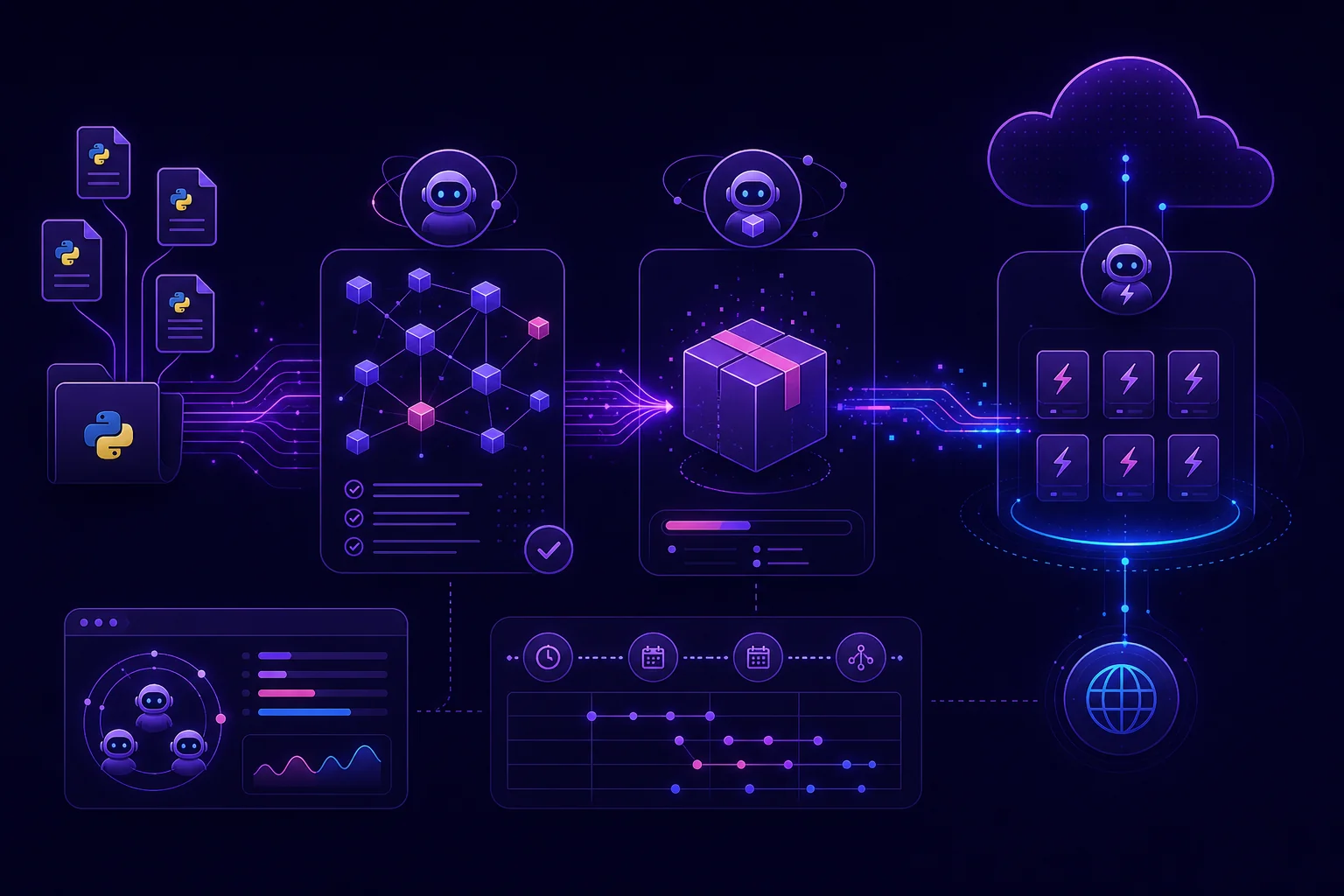
A Python agent that works locally can fail in Lambda because its dependencies were built for the wrong platform, changed between builds, or included files the runtime never needs. The fix is not another deployment wrapper. You need a controlled artifact: locked versions, Linux-compatible wheels, selective packaging, and a CI check that verifies two clean builds made from the same hashed inputs contain the same files.
This guide builds that workflow around a small serverless agent deployed with AWS Lambda and Serverless Framework.
Define the deployment target and dependency budget
Start with the runtime contract. Write it down before installing anything:
Runtime:       Lambda-compatible Python
Architecture:  chosen by the deployment configuration
Build OS:      Linux-compatible environment
Entry point:   src/handler.run
Dependencies:  production packages only
Verification:  sorted file manifest plus SHA-256 hashes
Python dependencies can reach the runtime through several paths:
| Method | Use it when | Main tradeoff |
|---|---|---|
| Bundled packages | The dependency belongs only to this agent | Simple deployment, but every file increases the artifact |
| Lambda Layer | Several functions share the same stable dependency set | Separate lifecycle and version management |
| Runtime-provided library | The runtime already guarantees the required package | Smaller artifact, but tighter runtime coupling |
| Archived virtual environment | The service expects a complete Python environment archive | Larger unit with stricter platform matching |
Archived environments are not interchangeable with normal Lambda bundles. For example, AWS documents an EMR Serverless workflow that packages a virtual environment with venv-pack, uploads the resulting archive to Amazon S3, and runs it against a matching Amazon Linux and Python environment.
For a Lambda agent, begin with bundled production dependencies. Move a package to a Layer only when sharing or separate updates justify the extra lifecycle.
Track these build outputs:
Do not assume a smaller ZIP automatically means a faster cold start. Measure both separately in your environment. If you also want the surrounding infrastructure model, read how to deploy Python agents without managing Docker or Terraform.
Lock serverless Python dependencies before building
A deployment should never resolve fresh dependency versions implicitly.
Your locking options include:
- A fully pinned
requirements.txtwith hashes for every package. uv.lockfor a uv-managed project.poetry.lockfor Poetry.- Pipenv lock data for Pipenv projects.
Serverless Framework’s integrated Python dependency support handles uv projects and remains backward-compatible with existing configurations. That integration is available from version 4.22.0, according to the Serverless Python requirements documentation.
For this example, keep the direct deployment input explicit in requirements.in:
The pinned jsonpath_rw dependency and targeted src/vendor installation follow the dependency pattern shown in the Serverless Lambda packaging example.
Use pip-tools to resolve transitive dependencies and generate a real hash-checked lockfile. Run the lock operation in a clean environment, with an approved version of the locking tool and an approved package index. Record the selected PIP_TOOLS_VERSION, Python version, index configuration, and build image among the reviewed build inputs:
: "${PIP_TOOLS_VERSION:?Set this to the approved pip-tools version}"

python -m venv .lock-venv
. .lock-venv/bin/activate

python -m pip install --upgrade pip
python -m pip install "pip-tools==${PIP_TOOLS_VERSION}"

pip-compile \
  --generate-hashes \
  --resolver=backtracking \
  --output-file=aws_requirements.txt \
  requirements.in
Commit requirements.in and aws_requirements.txt. The first documents direct dependencies. The generated file pins the resolved production graph and records acceptable distribution hashes.
pip freeze is not a substitute for this lock step. It records installed package names and versions, but it does not identify the exact wheel bytes, package index snapshot, platform tag, or build inputs used to create the environment. A frozen version list alone therefore does not guarantee complete binary reproduction.
Download the exact target-compatible wheels while enforcing the lockfile hashes:
rm -rf wheelhouse
mkdir -p wheelhouse

python -m pip download \
  --require-hashes \
  --only-binary=:all: \
  --dest wheelhouse \
  -r aws_requirements.txt
Run that command in the Linux environment matching the Lambda Python version and architecture. Publish the resulting wheelhouse to an immutable, access-controlled artifact store, or otherwise retain it as a versioned build input. Future builds should install from that wheelhouse with network access to package indexes disabled:
python -m pip install \
  --no-index \
  --find-links=wheelhouse \
  --require-hashes \
  -r aws_requirements.txt
The immutable wheel source prevents an index from changing the available artifacts, while --require-hashes verifies that every selected distribution matches the reviewed lockfile. If the lock changes intentionally, regenerate and review both the lockfile and wheelhouse.
Keep development tools elsewhere in requirements-dev.in:
Do not install requirements-dev.in into the deployment directory.
If you use Poetry, require the lockfile in CI rather than allowing the build to create one silently. The Serverless integration exposes requirePoetryLockFile for that purpose. Its documented export command is:
That documented command may include credentials, and --without-hashes does not satisfy the hash-checked pip workflow used in this guide. Prefer installation directly from the reviewed Poetry lockfile, or use an export process that retains hashes and verify the resulting requirements with pip --require-hashes. Treat any generated file and build logs containing credentials accordingly. Never package repository credentials with the function.
Build platform-compatible native wheels on Linux
Pure Python source is portable across many environments. Native extensions are not. A native wheel must match the target Python runtime, CPU architecture, and Linux ABI.
Use a compatibility checklist before deployment:
| Build property | Must match |
|---|---|
| Python implementation and version | Lambda runtime |
| CPU architecture | Deployed function architecture |
| Operating system ABI | Target Linux environment |
| Wheel tag | Supported by the target interpreter |
The Serverless dependency integration can build non-pure modules or fetch compatible manylinux wheels through Docker and official AWS build images. In an alternative workflow where Serverless owns dependency installation, enable that behavior with:
Teams that already build on Linux can limit Docker usage to other development systems:
You can also select a custom image or Dockerfile:
Or:
dockerImage and dockerFile are mutually exclusive. Pick one.
Those custom.pythonRequirements examples describe the automated Serverless installation mode. The deployment workflow used in the rest of this guide instead installs aws_requirements.txt manually into src/vendor. It therefore does not enable custom.pythonRequirements, and it does not provide a root requirements.txt for Serverless to consume. Keep these modes separate unless you have explicitly configured and tested the dependency filename and output layout used by the integration; otherwise, dependencies may be installed twice or omitted from the deployment.
Whether Serverless performs the installation or your script does it, validate the dependency graph inside a clean environment created for the target build:
rm -rf .target-venv
python -m venv .target-venv

.target-venv/bin/python -m pip install \
  --no-index \
  --find-links=wheelhouse \
  --require-hashes \
  -r aws_requirements.txt

.target-venv/bin/python -m pip check
Run the complete command block inside the Linux-compatible build container or runner matching the target runtime, so that the python used to create .target-venv is the target-compatible interpreter. Running pip check from the developer’s current Python environment, even with PYTHONPATH pointed at src/vendor, does not necessarily inspect distributions installed with pip -t. pip check primarily validates the distributions registered in the Python environment where pip is running.
After installing the deployment directory with the same target interpreter, also test imports through the exact source and vendor paths used by the artifact:
PYTHONPATH=src:src/vendor \
  .target-venv/bin/python - <<'PY'
from handler import run
import jsonpath_rw

print(jsonpath_rw.__file__)
print(run)
PY
A successful import on your laptop does not validate a native wheel for a different target. Execute the environment validation, targeted installation, and import smoke test in the same target-compatible Linux build environment.
Package only what the agent actually imports
Install production dependencies into a dedicated directory from the retained wheelhouse. Run this after creating .target-venv with the target-compatible interpreter as shown above:
rm -rf src/vendor build
mkdir -p src/vendor build

.target-venv/bin/python -m pip install \
  --no-index \
  --find-links=wheelhouse \
  --require-hashes \
  --no-compile \
  -t src/vendor \
  -r aws_requirements.txt
The targeted pip install -t src/vendor -r aws_requirements.txt pattern keeps dependencies separate from your source. Your handler must add that directory before importing packaged libraries:
from __future__ import annotations

import json
import sys
from pathlib import Path

VENDOR = Path(__file__).parent / "vendor"
sys.path.insert(0, str(VENDOR))

from jsonpath_rw import parse


def run(event, context):
    expression = parse("$.items[*].title")
    matches = [match.value for match in expression.find(event)]

    return {
        "statusCode": 200,
        "body": json.dumps({"titles": matches}),
    }
Save that code as src/handler.py.
This is the packaging core of a monitoring agent. A scheduled invocation can supply normalized competitor updates, issue data, or report records. The handler extracts the fields required by the next AI-processing step.
Remove generated files that the runtime does not consume:
find src/vendor -type d -name '__pycache__' -prune -exec rm -rf {} +
find src/vendor -type f -name '*.pyc' -delete
find src/vendor -type d -name 'tests' -prune -exec rm -rf {} +
Exclude your local environment, repository metadata, documentation, caches, and development tests. Do not delete package metadata or native shared libraries blindly. Import resolution and runtime discovery may depend on them.
Your artifact should look like this:
Record measurements instead of publishing assumed savings:
| Build | Artifact bytes | Build duration | Import check |
|---|---|---|---|
| Unfiltered baseline | Measure in CI | Measure in CI | Pass or fail |
| Selective package | Measure in CI | Measure in CI | Pass or fail |
Configure Serverless Framework without relying on the deprecated plugin
The standalone serverless-python-requirements package is deprecated. Its functionality is integrated into Serverless Framework from version 4.22.0. You therefore do not need to add the old package under plugins.
This configuration follows the manual installation mode described in Build platform-compatible native wheels on Linux:
- Package the prepared
src/vendordirectory. - Omit
custom.pythonRequirements. - Do not provide a root
requirements.txtfor Serverless to install independently.
Use this minimal configuration:
service: dependency-controlled-agent

provider:
  name: aws
  runtime: ${env:PYTHON_RUNTIME}
  architecture: ${env:LAMBDA_ARCHITECTURE}

functions:
  agent:
    handler: src/handler.run

package:
  individually: true
  patterns:
    - src/**
    - '!src/**/__pycache__/**'
    - '!src/**/*.pyc'
    - '!tests/**'
    - '!docs/**'
    - '!.git/**'
    - '!.venv/**'
    - '!.target-venv/**'
    - '!requirements-dev.in'
    - '!build/**'
A complete local build script can validate the dependency graph, prepare the vendor directory, and inspect the package:
#!/usr/bin/env bash
set -euo pipefail

rm -rf src/vendor .serverless .target-venv
mkdir -p src/vendor

python -m venv .target-venv

.target-venv/bin/python -m pip install \
  --no-index \
  --find-links=wheelhouse \
  --require-hashes \
  -r aws_requirements.txt

.target-venv/bin/python -m pip check

.target-venv/bin/python -m pip install \
  --no-index \
  --find-links=wheelhouse \
  --require-hashes \
  --no-compile \
  -t src/vendor \
  -r aws_requirements.txt

find src/vendor -type d -name '__pycache__' -prune -exec rm -rf {} +
find src/vendor -type f -name '*.pyc' -delete
find src/vendor -type d -name 'tests' -prune -exec rm -rf {} +

PYTHONPATH=src:src/vendor \
  .target-venv/bin/python -c "from handler import run; import jsonpath_rw"

npx serverless package
Run the script under the target-build conditions established in Build platform-compatible native wheels on Linux. If you switch to automated Serverless dependency installation, replace the manual src/vendor workflow instead of combining the two modes.
Bundle dependencies when the function owns them and changes with them. Prefer a Layer when several functions consume the same dependency set and you want to update that set independently. Avoid using a Layer merely to hide uncontrolled package growth.
For the architectural tradeoffs behind this runtime, see the serverless AI-agent deployment model.
Verify two builds match under controlled inputs in CI
ZIP hashes can differ because archive metadata differs. Compare a sorted manifest of file paths and file hashes before comparing the final archive.
Matching manifests prove that the two builds produced identical files under the tested conditions. That result alone does not prove indefinite reproducibility across future package-index states, build images, Python releases, or platforms.
Use the target-build rules from Build platform-compatible native wheels on Linux, plus this reproducibility checklist:
- Use the same reviewed lockfile and immutable wheelhouse.
- Pin the build image and identify the wheelhouse by version or digest.
- Apply the same installation and cleanup process to both builds.
- Disable live package-index access.
Create scripts/manifest.sh:
#!/usr/bin/env bash
set -euo pipefail

root="$1"

(
  cd "$root"
  find . -type f -print0 |
    sort -z |
    xargs -0 sha256sum
)
Then build twice from clean directories:
#!/usr/bin/env bash
set -euo pipefail

rm -rf .target-venv
python -m venv .target-venv

TARGET_PYTHON=".target-venv/bin/python"

"$TARGET_PYTHON" -m pip install \
  --no-index \
  --find-links=wheelhouse \
  --require-hashes \
  -r aws_requirements.txt

"$TARGET_PYTHON" -m pip check

build_once() {
  destination="$1"

  rm -rf "$destination"
  mkdir -p "$destination/src/vendor"

  cp src/handler.py "$destination/src/handler.py"

  "$TARGET_PYTHON" -m pip install \
    --no-index \
    --find-links=wheelhouse \
    --require-hashes \
    --no-compile \
    -t "$destination/src/vendor" \
    -r aws_requirements.txt

  find "$destination" -type d -name '__pycache__' \
    -prune -exec rm -rf {} +
  find "$destination" -type f -name '*.pyc' -delete

  PYTHONPATH="$destination/src:$destination/src/vendor" \
    "$TARGET_PYTHON" -c "from handler import run; import jsonpath_rw"

  ./scripts/manifest.sh "$destination" \
    > "$destination.manifest"
}

build_once build-a
build_once build-b

diff -u build-a.manifest build-b.manifest
Because installation uses --no-index, the build cannot silently select a newly published wheel. Because it also uses --require-hashes, a wheel whose bytes differ from the reviewed lockfile is rejected.
Your CI job should also fail when:
pip checkreports incompatible dependencies in the target-compatible validation environment.- The handler import smoke test fails with
PYTHONPATHcontaining bothsrcandsrc/vendor. - The build Python version differs from the deployment runtime.
- Wheel tags or architecture do not match the target.
- A downloaded or installed distribution does not match its lockfile hash.
- The build attempts to access a live package index after the wheelhouse has been approved.
- The artifact exceeds your own byte budget.
- A secret-like file is present.
- The dependency manifest or wheelhouse digest changes without an intentional lockfile update.
A budget check can remain environment-specific:
artifact_bytes="$(stat -c%s .serverless/*.zip)"

if [ "$artifact_bytes" -gt "$MAX_ARTIFACT_BYTES" ]; then
  echo "Artifact exceeds dependency budget"
  exit 1
fi
After both builds match under those controlled inputs, deploy:
Then invoke the deployed handler with a small fixture and verify its exit status and response. Before attaching a cron schedule, follow the broader production test checklist for Python agents.
Conclusion
Small serverless Python deployments come from controlling the build, not from deleting files at random. Lock the complete production dependency set with hashes. Retain target-compatible wheels in an immutable source. Install them with --require-hashes and without consulting a live index. Build native packages for the real target. Install into a dedicated vendor directory. Exclude development files carefully. Then rebuild twice and compare manifests under the same controlled inputs.
That workflow works whether you own the Serverless configuration or use a managed agent host such as HollowHost. The platform can remove infrastructure work, but your dependency graph still needs an explicit, testable contract.